
For players in the United Kingdom, the Queenwin casino app can offer a convenient way to access slots, table games, live casino entertainment, promotions, and account tools from a mobile device. The most important part of the process is choosing the official access route, checking the operator’s terms, and confirming that mobile gambling is legal and appropriate for your location and circumstances.
Before downloading anything, UK users should verify the website address carefully: https://queenwinlogin-uk.com/. Avoid unofficial copies, suspicious advertisements, or files supplied by unknown third parties. A legitimate casino should also provide clear information about licensing, age restrictions, responsible gambling, payment methods, and customer support.
What the Queenwin Casino App Offers
A mobile casino application is designed to make the main account functions available without opening a desktop browser every time. Depending on the current version and supported device, Queenwin users may be able to register, log in, browse games, claim eligible offers, make deposits, request withdrawals, and contact support.
The app may be delivered as a native application or as a mobile-optimised website that can be added to a phone’s home screen. These two formats can look similar, but the installation process is different. Players should therefore follow the instructions shown on the verified casino website rather than searching for random installation packages online.
Before You Begin the Download
- Use a current Android or iOS device with sufficient storage.
- Install the latest available operating-system updates.
- Connect through a private, trusted Wi-Fi or mobile-data network.
- Check that you are physically located in a jurisdiction where the service is available.
- Prepare an email address and mobile number that you can access.
- Have identification documents available if verification is requested.
UK players must be at least 18 to gamble legally. Registration details should be accurate and consistent with identity documents. Entering false information can delay verification, restrict an account, or prevent a withdrawal from being completed.
Queenwin App Download Instructions for Android
Option 1: Install from an official Android source
If Queenwin provides an application through an authorised Android store, open the verified casino page and use the displayed download button. Check the publisher name, app description, number of downloads, and permissions before installing. Do not rely solely on a logo, because unofficial applications can imitate the appearance of a casino brand.
- Open the verified Queenwin mobile page in your Android browser.
- Select the official app or download option.
- Follow the link to the authorised store, if one is provided.
- Review the publisher information and requested permissions.
- Tap Install and wait until the process is complete.
- Open the application and read the displayed terms.
- Log in or create an account through the secure registration form.
Option 2: Install an official APK
Some casino operators distribute Android applications directly as APK files rather than through a store. This method should only be used when the file is offered on the verified operator website. Never download an APK from a file-sharing forum, social-media message, pop-up advertisement, or unknown mirror.
Android may ask permission to install applications from an external source. If this permission is required, confirm that the file came directly from the operator’s verified website, check the file name and source, and disable the permission again after installation. If the website does not explain the process clearly, use the mobile browser version instead.
Using Queenwin on an iPhone or iPad
Apple devices generally permit applications through the App Store, although some services operate through a browser-based progressive web app. Open the verified Queenwin page in Safari and follow the instructions provided for iOS.
- Visit the official mobile page using Safari.
- Look for an App Store link or an option to add the site to the Home Screen.
- If an App Store listing appears, verify the developer before downloading.
- If a web app is offered, tap the Share button in Safari.
- Select Add to Home Screen and confirm the shortcut.
- Launch the new icon and sign in using your existing credentials.
A browser shortcut does not install a conventional native application. It creates a convenient icon that opens the mobile casino site. This can still provide a smooth experience, and it may be preferable when no official iOS app is available.
Registration and Login
New customers should select the registration option and complete each required field carefully. Typical details include name, date of birth, address, email address, and telephone number. The casino may also ask users to choose a password and accept relevant terms.
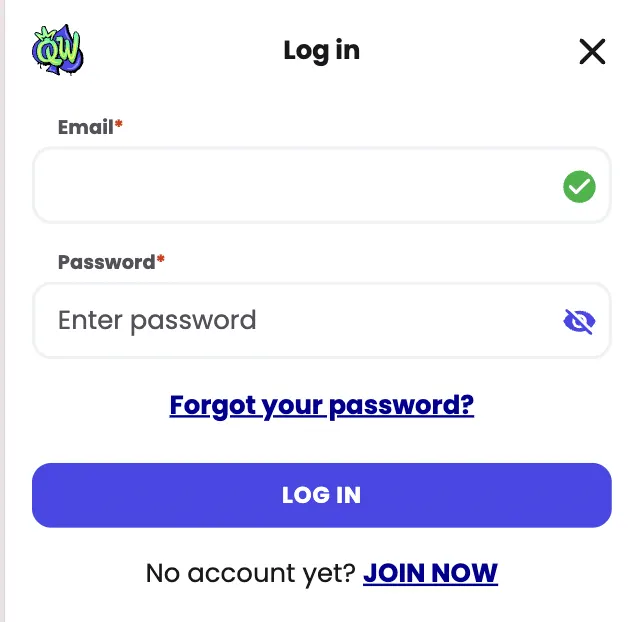
Existing customers can usually log in with an email address, username, or mobile number. Use a unique password that is not shared with other services. If the application supports two-factor authentication, enabling it adds another layer of protection. Never give a verification code to someone claiming to be a representative through an unsolicited message.
Deposits, Bonuses, and Withdrawal Checks
After logging in, visit the cashier to review the available payment methods. UK players may see options such as cards, bank transfer, or selected electronic wallets, but availability can depend on the operator, account status, and current regulations. Confirm the minimum and maximum limits, processing times, and any fees before approving a transaction;
Promotional offers should be read in full. A bonus can include wagering requirements, a time limit, restricted games, maximum bet rules, and a maximum conversion amount. A promotional code should be entered only in the official cashier or bonus section. If the terms are unclear, ask support before depositing.
Withdrawals may require identity, address, or payment verification. This is a normal compliance procedure, but players should upload documents only through the secure account area. Do not send passports, bank statements, or card images to an unverified email address or social-media account.
Mobile Games and Performance
A well-designed mobile casino should load game menus quickly, maintain readable buttons, and adapt to different screen sizes. Slots are generally simple to access, while live dealer games require a stronger connection because they use continuous video. For a stable session, close unnecessary applications, use a reliable network, and avoid switching repeatedly between Wi-Fi and mobile data.
Before staking real money, open a demo mode when available. This allows players to understand the controls, paylines, betting range, and bonus features without financial risk; Remember that demo results do not guarantee future real-money outcomes.
Responsible Gambling on Mobile
Mobile access makes gambling convenient, but convenience can also make it easier to spend more time or money than intended. Set a deposit limit before playing and use time reminders where available. Decide on a gaming budget that covers only entertainment spending, never rent, bills, credit repayments, or essential expenses.
- Do not chase losses.
- Take regular breaks.
- Avoid gambling when upset, tired, or under the influence of alcohol.
- Use deposit, loss, session, or wager limits.
- Consider self-exclusion if gambling is becoming difficult to control.
UK players who need support can contact organisations such as GamCare, which provides confidential advice and guidance. The casino’s responsible-gambling section may also include cooling-off periods, account limits, and self-exclusion tools.
Common Questions
Is the Queenwin app safe to download?
Safety depends on the source and the operator’s regulatory status. Download only from the verified Queenwin website or an authorised app store. Check the site’s licensing information, privacy policy, encryption indicators, and support channels. If an installation file arrives through an unsolicited message, do not open it.
What should I do if the app will not install?
Check available storage, operating-system compatibility, internet stability, and device security settings. Restart the device and try again from the official source. If the problem continues, use the mobile browser version and contact official support.
Why is identity verification required?
Verification helps the operator confirm age, identity, payment ownership, and compliance with anti-money-laundering obligations. It can be requested during registration, before a withdrawal, or when account information changes.
Can I play immediately after registering?
Some accounts may require verification before deposits or withdrawals are enabled. Even when access is immediate, read the terms, confirm your limits, and check whether any promotional conditions apply before placing a bet.
Final Assessment for UK Users
The Queenwin mobile experience can be practical for players who want casino access from an Android phone, iPhone, or tablet. The safest approach is straightforward: start from the verified website, use only authorised installation routes, protect your login details, review payment and bonus terms, and complete verification through the secure account area.
Players should treat the app as an entertainment service rather than a source of income. Gambling outcomes are uncertain, and no application can guarantee a win. With careful downloading, strong account security, clear spending limits, and responsible play, UK users can make a more informed decision about whether the Queenwin mobile platform suits their needs.